Introducing
CNC Dock
Wireless file access for machines that were never built for it.
CNC Dock gives older CNC controls modern network access while showing up as the USB storage they already understand. CNC Dock stays parked on your machine's USB port and allows any PC on the shop network to transfer files to or from the machine.
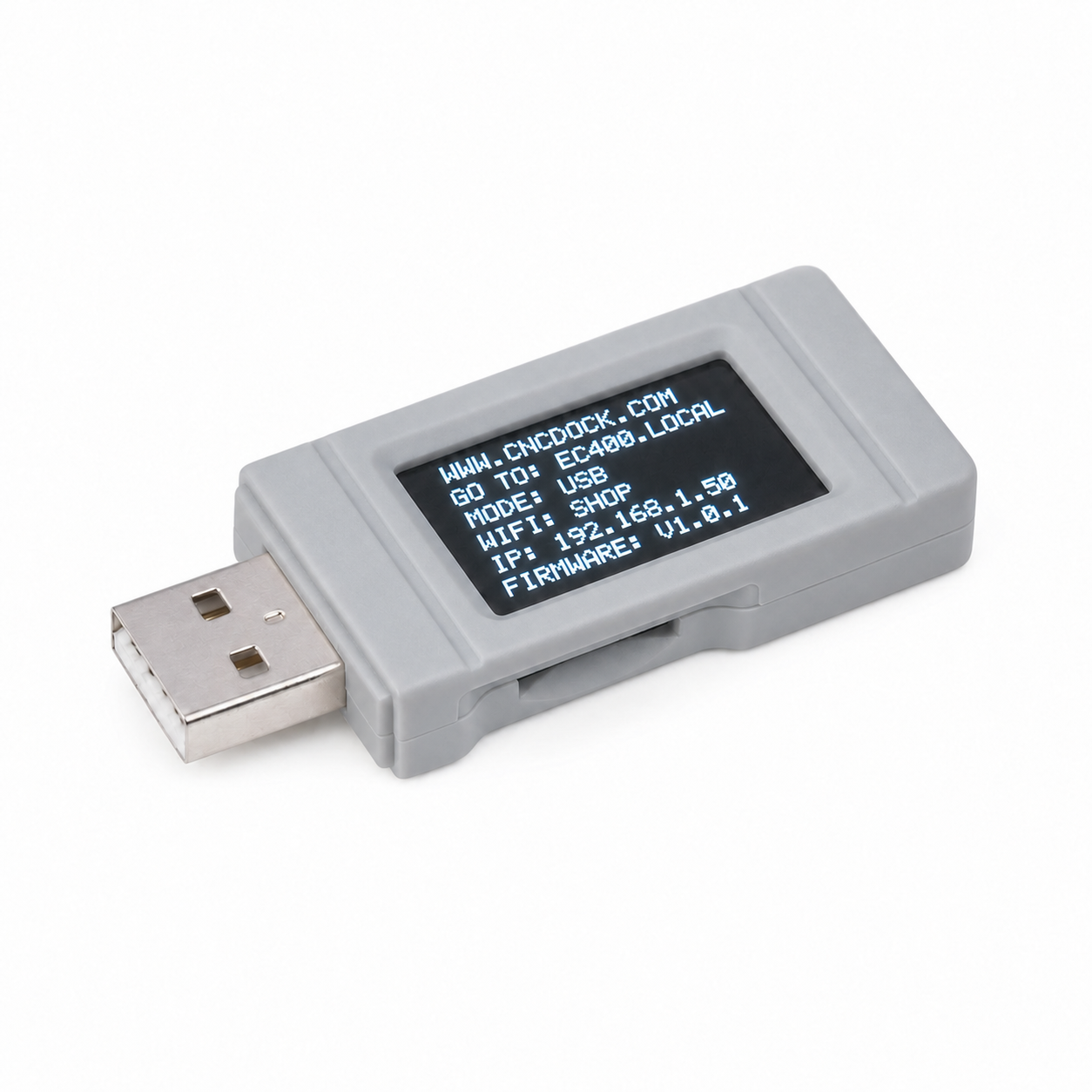
01USB interface
02Status display
03Wi-Fi access
04Removable storage
Machine compatibility
Will this work for your machine?
YES→
Does your shop have Wi-Fi?
YES→
Yes. CNC Dock should work for your machine.
Your machine has the connection CNC Dock needs.
Purchase CNC DockNO↓
Don't Purchase
NO↓
Don't Purchase
DWG 01 / WORKFLOW
Old control. New connection.
Move programs without walking a flash drive across the shop.
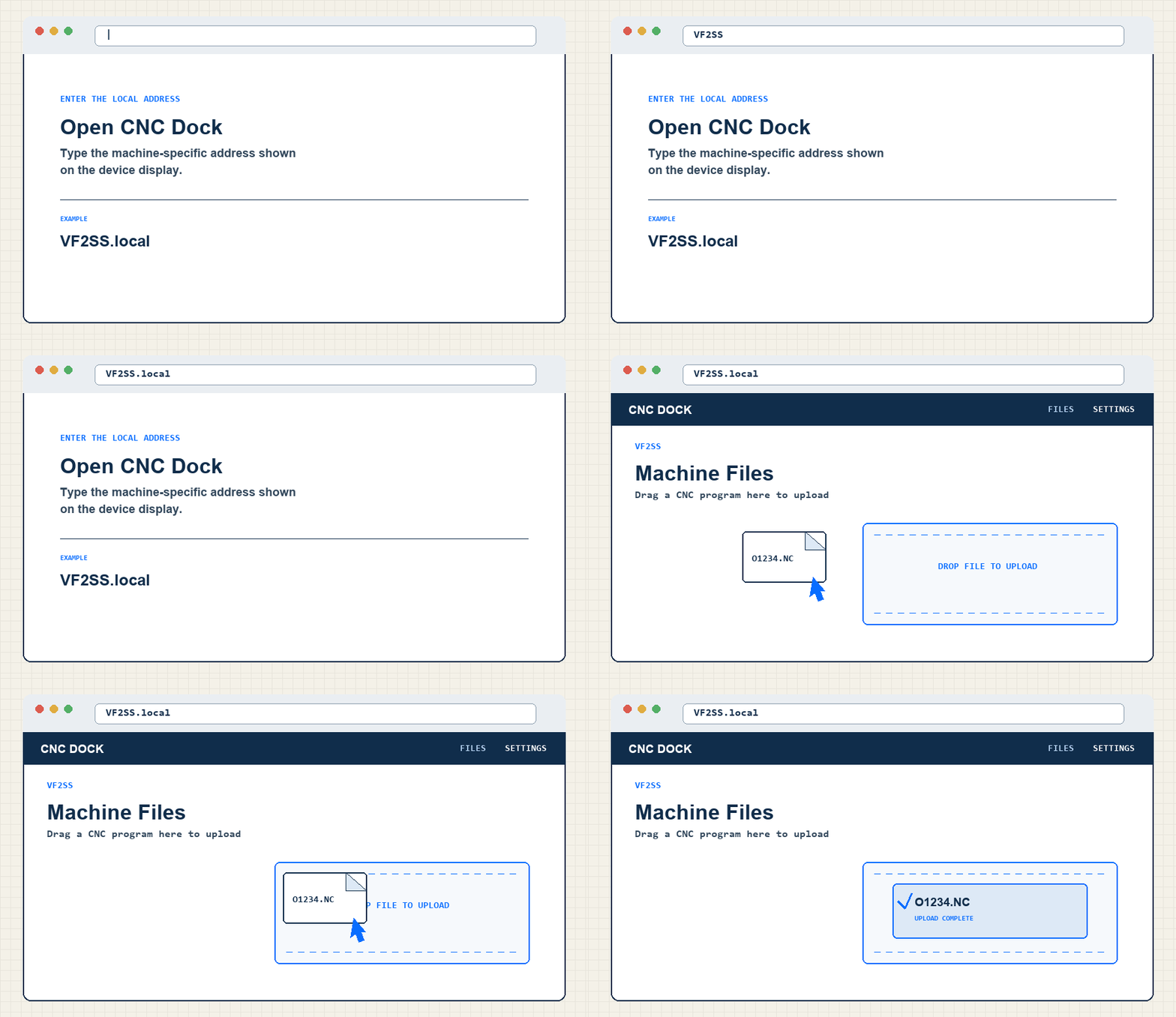
DWG 03 / INTERFACE
The essentials
Built around the connection your machine already has.
- Machine interface
- USB mass storage
- USB File Size
- Selectable between 1.44 MB and 16 GB
- Network
- 2.4 GHz Wi-Fi
- File access
- Web browser
- Status
- Integrated LCD
ORDER / CNC DOCK
Purchase CNC Dock
Bring the old iron onto the network.
Order securely through Square. Eligible payment options are shown at checkout.
Review our Limited 24-Month Warranty.
Secure checkout provided by Square.